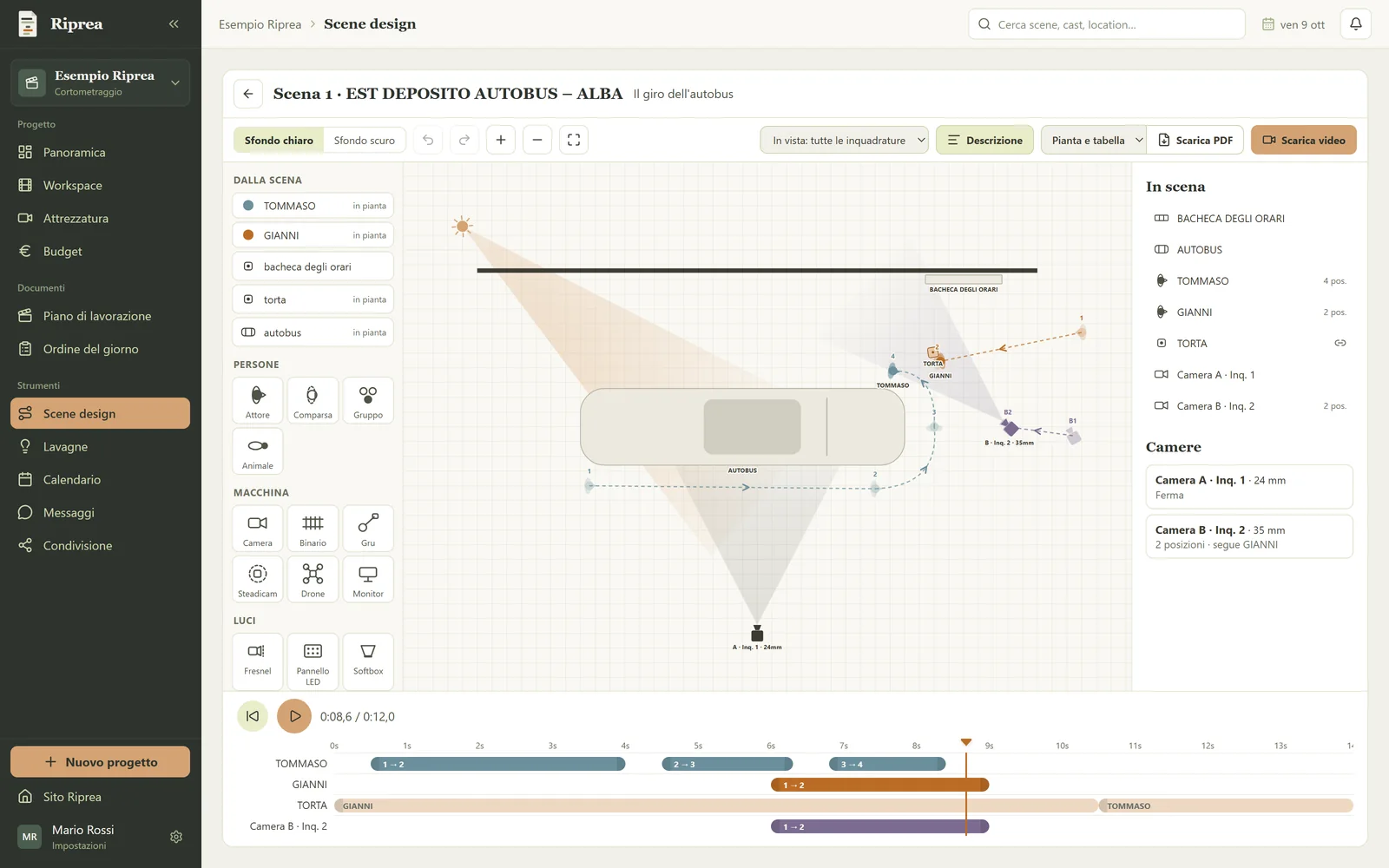
From script to set, without copying anything twice.
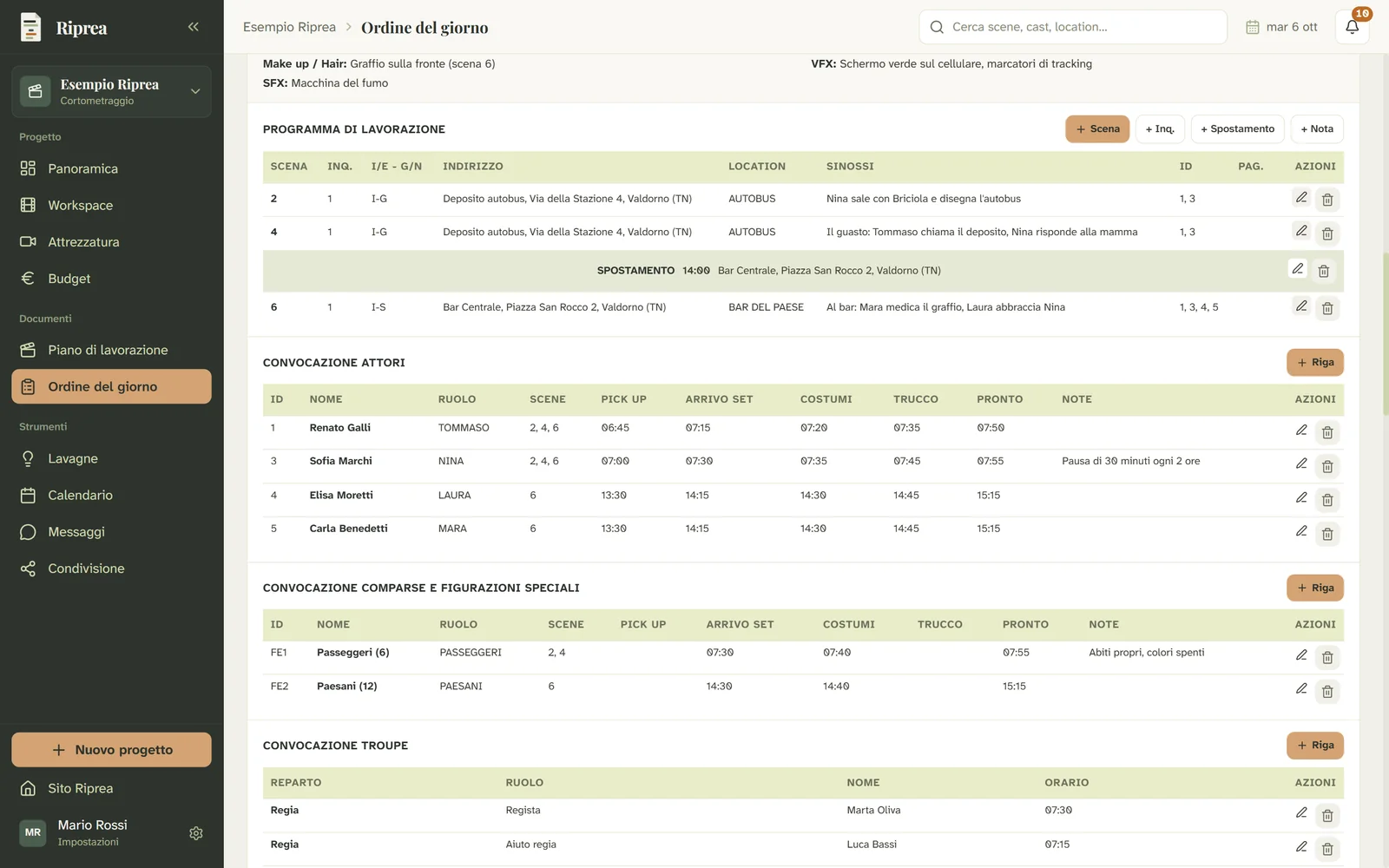
Breakdown, casting, departments and budget in one place. Your shooting schedule and call sheets come straight from the data you have already entered.
Beta open to 50 testers, with a discount at launch.
Scriptp. 14
12. INT. KITCHEN — DAY
MARTA comes in, soaked from the rain.
She puts the chipped mug
on the table and turns on the radio.
MARTA
It wasn't meant to end like this.
Outside, distant thunder.
Day 3 · Wednesday 21 October
9EXT · DBuilding courtyard2/8MARTA
11INT · DStairs5/8LUCA
Lunch break · 13:30
13INT · NKitchen3/8MARTA, LUCA
12INT · DKitchenchipped mug1 4/8MARTA
14INT · DMarta's bedroom6/8MARTA
Day 4 · Thursday 22 October
21EXT · DHarbour1 2/8LUCA, NINO
22EXT · DHarbour4/8NINO
23EXT · NSeafront7/8MARTA, LUCA
Call sheet 3 of 1821/10
The Last Summer
CallReadyLunchWrap
Sc. 12 · INT · Kitchen
Props: chipped mug, radio
Cast: 1 MARTA · ready 08:15
Sc. 13 · INT · N · Kitchen
Weather: clear, 24°
Getting organised isn't the problem. Writing the same things ten times is.
Stop retyping the same names
An actor added in casting doesn't need to be typed again in the cast list, the call sheets and the budget. Enter it once and find it wherever it's needed.
Documents ready for the set
Shot lists, budgets, shooting schedules and call sheets come out as PDFs ready to send to your crew.
Your script stays yours
No chatbot and no text analysis handed to outside services. Scenes are recognised from the structure of the screenplay.
How it works
Five steps, in the order a production really takes them.
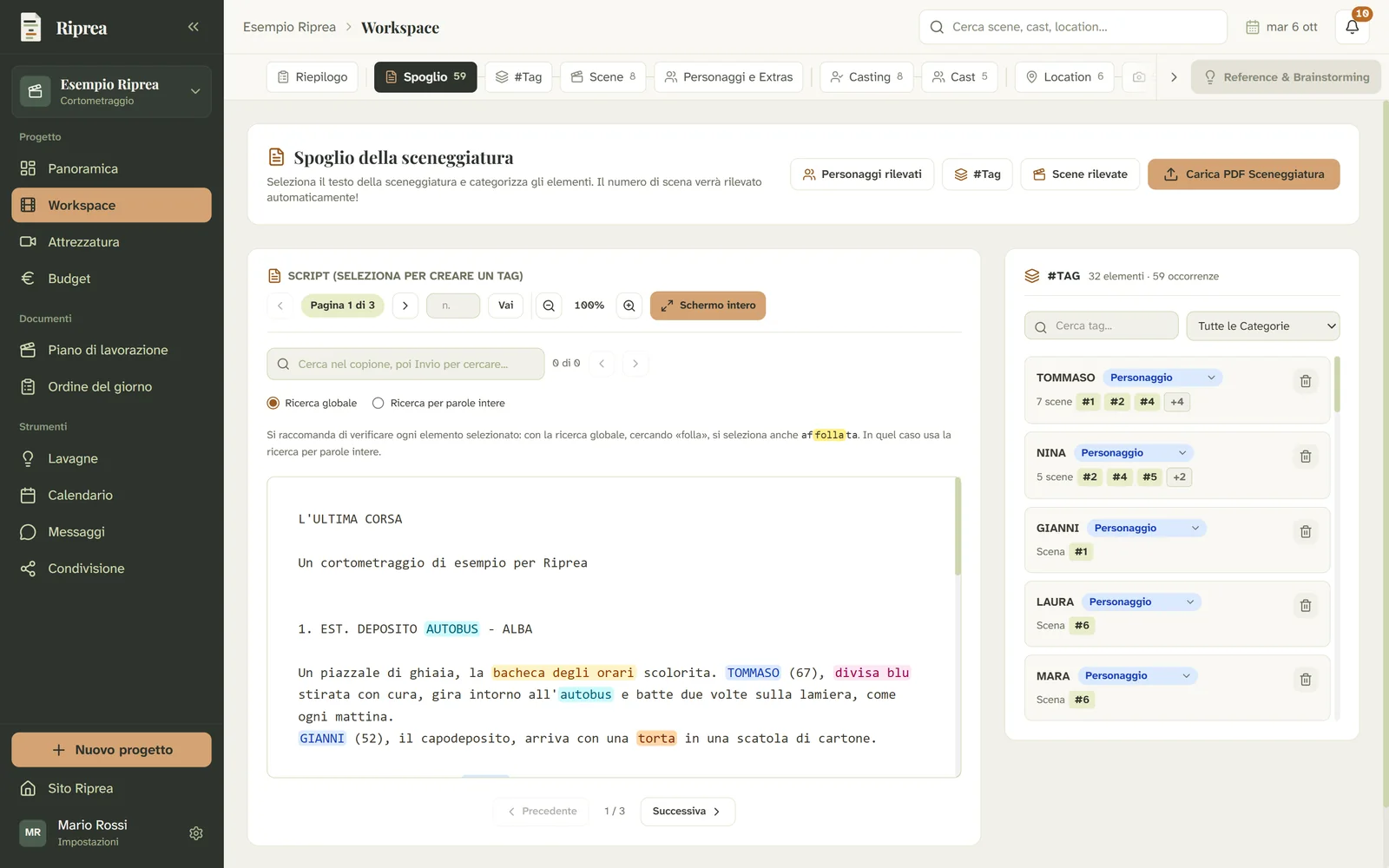
Upload your script
Import the PDF and Riprea recognises the scenes (number, interior or exterior, location, day or night) and the characters, from who has a line.
Break it down once
Select text and tag costumes, props, vehicles, effects. Every element shows up in all the scenes where it is written.
Prepare the departments
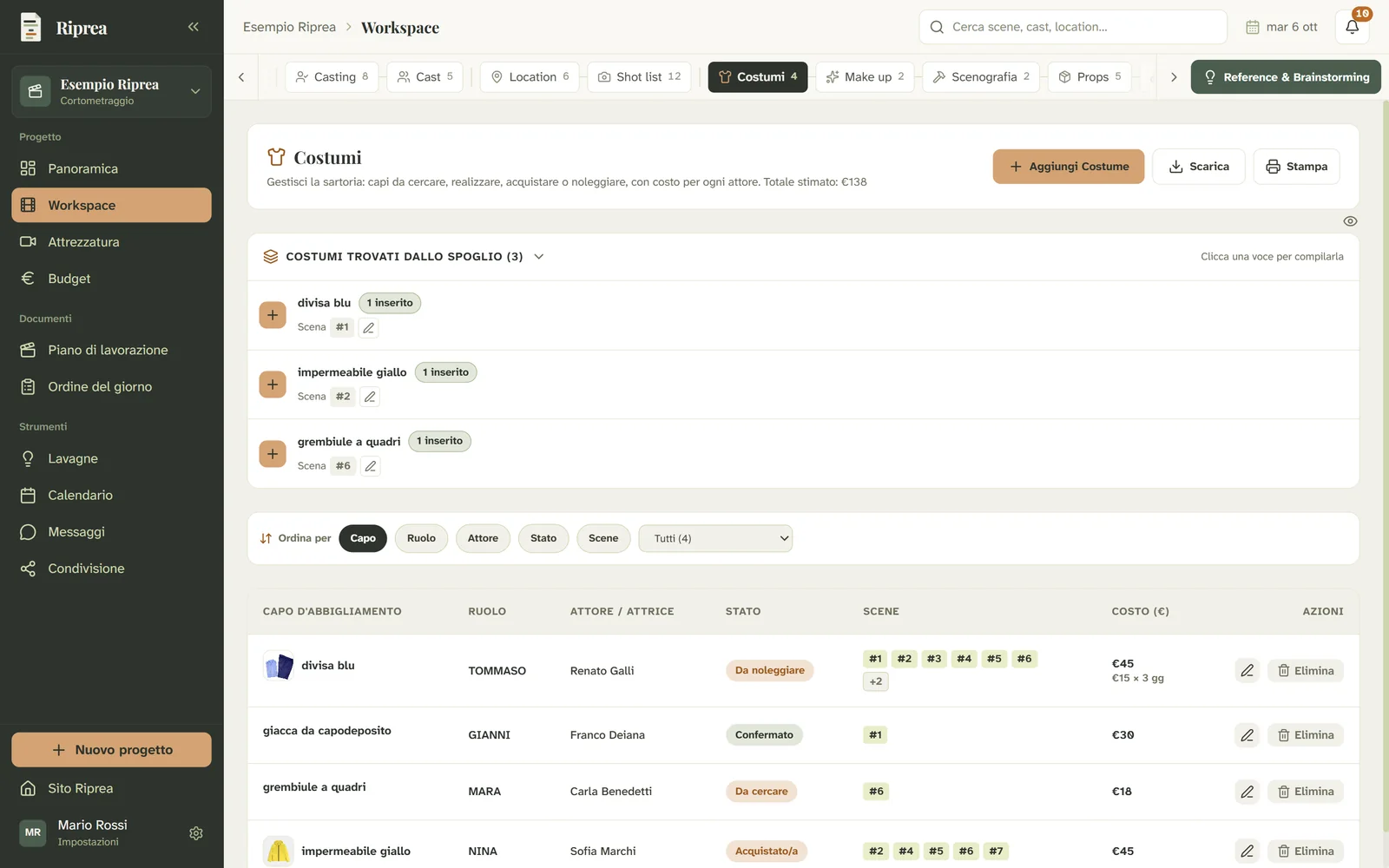
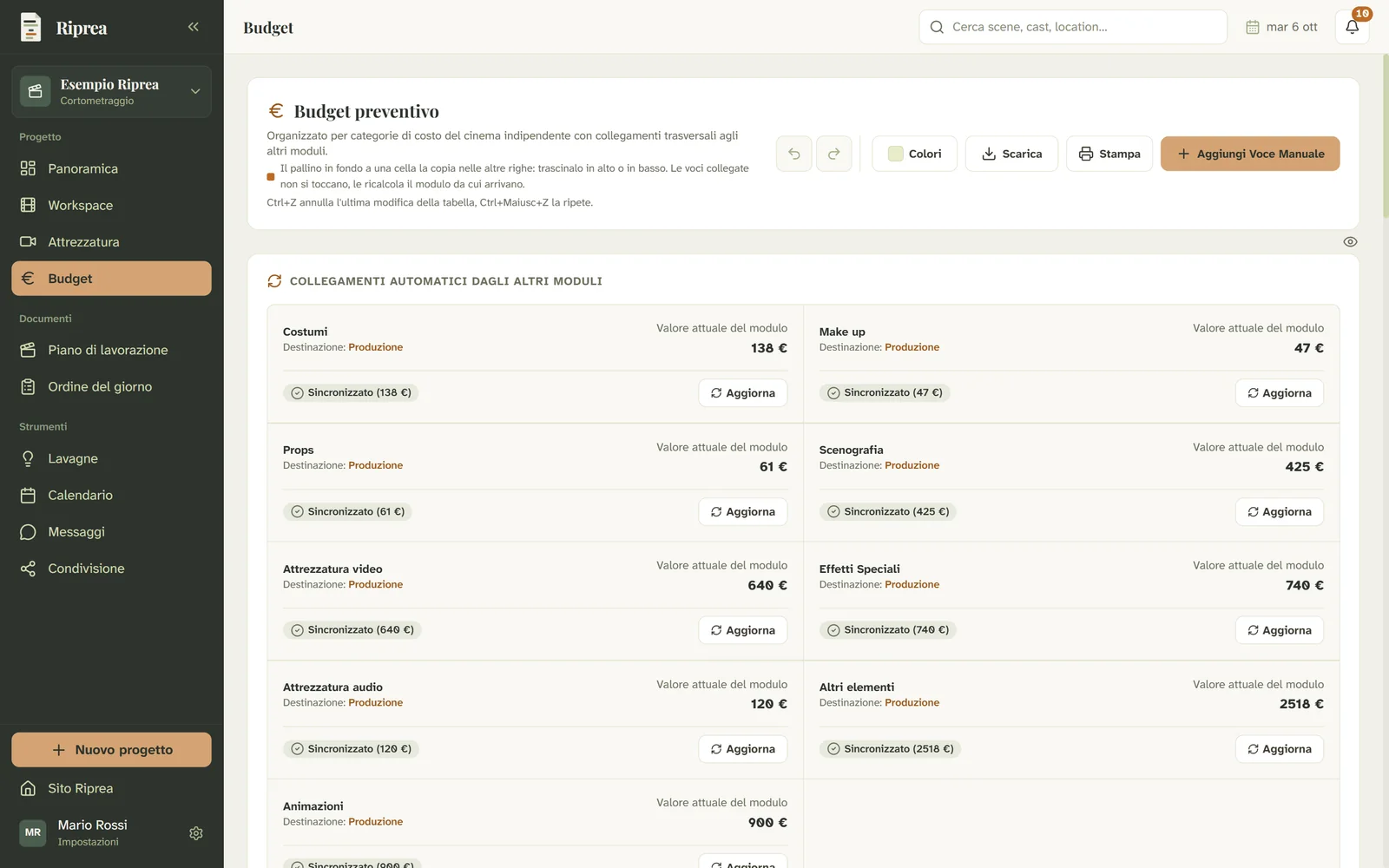
Casting, locations, shot list, costumes, make-up, set design: every module already finds the breakdown elements, and the costs flow into the budget on their own.
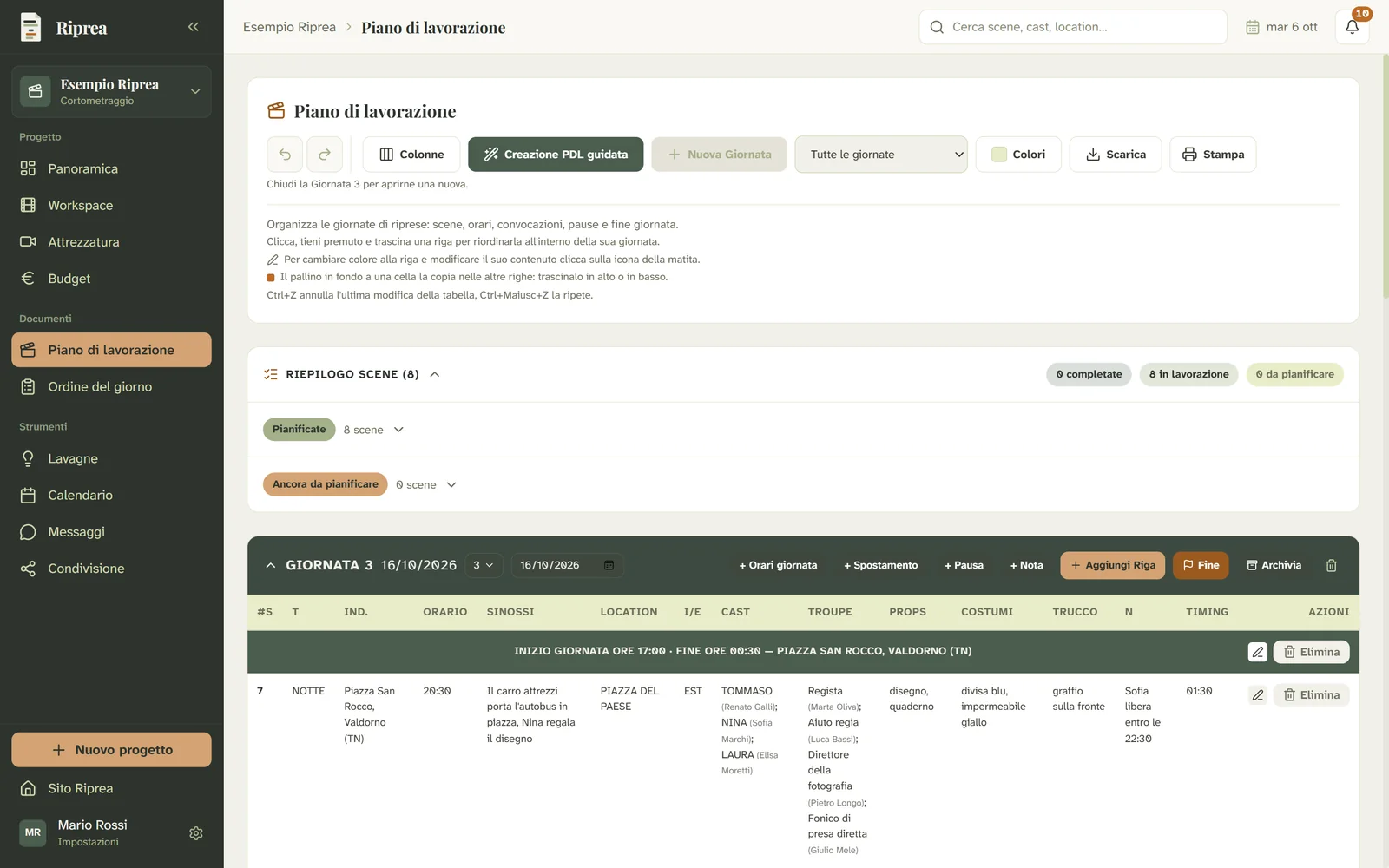
Plan the shooting days
In the shooting schedule you line up the scenes day by day, with cast and crew already called. A guide takes you through it step by step.
Send the call sheet
The call sheet is built from the schedule day, with times, locations, calls and requirements. Download it as a PDF and send it to the crew.
Sixteen modules, two documents
Every department has its own space, and data moves from one module to the next without retyping.
- 01
Script breakdown
Upload the PDF and tag elements scene by scene.
- 02
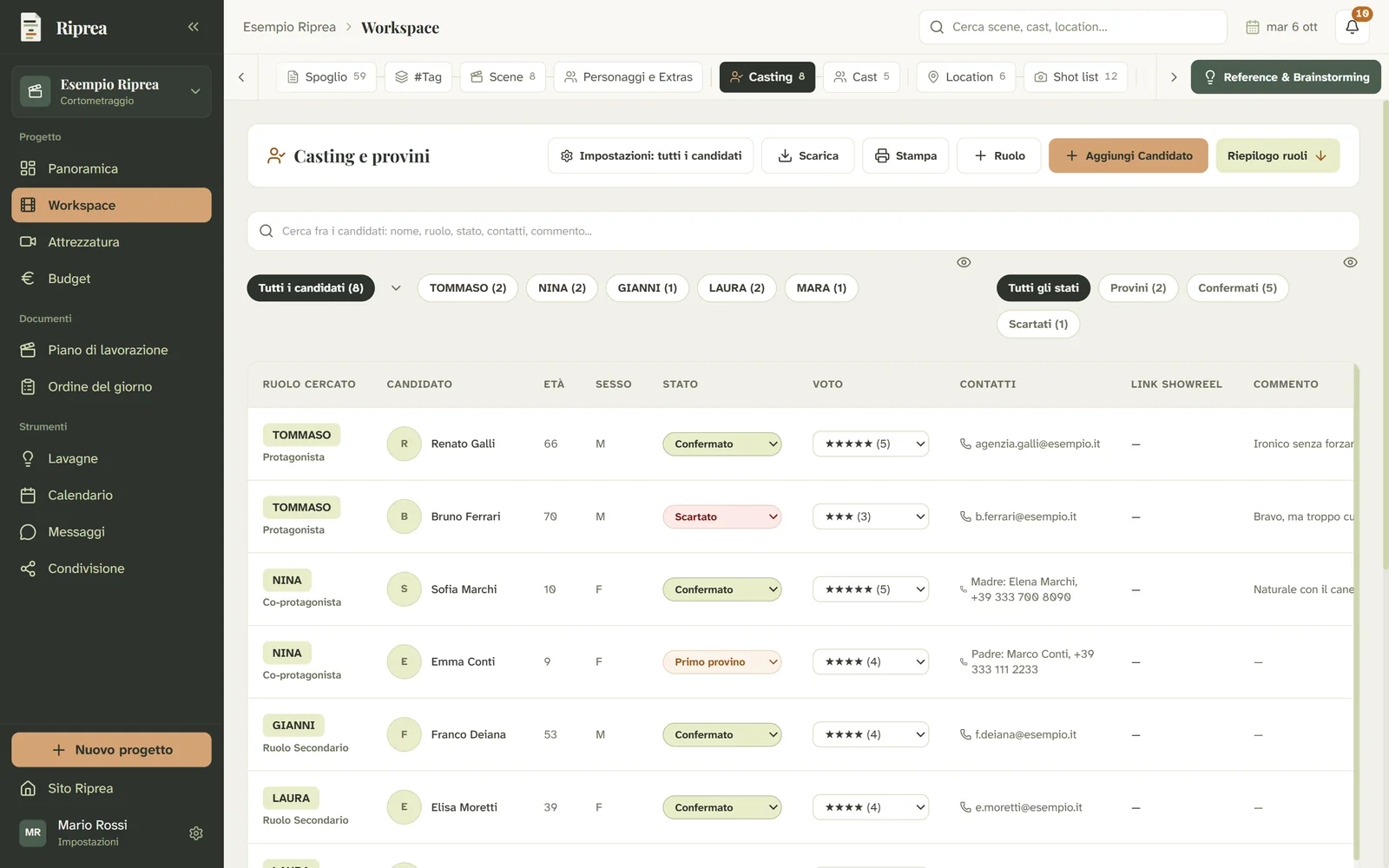
Casting
Every candidate and where each audition stands.
- 03
Cast
The confirmed cast and the scenes they appear in.
- 04
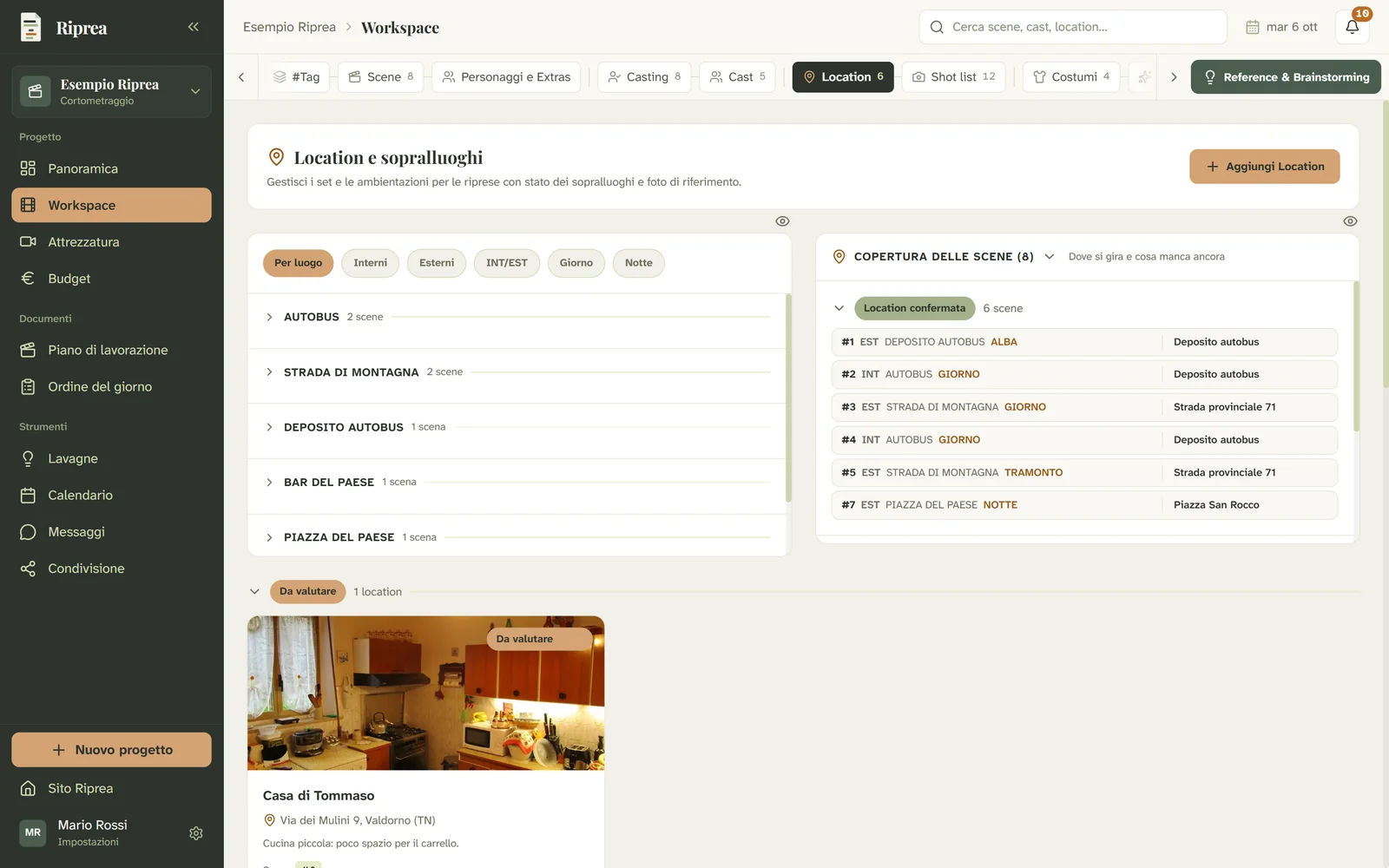
Locations
From locations to scout to locations confirmed.
- 05
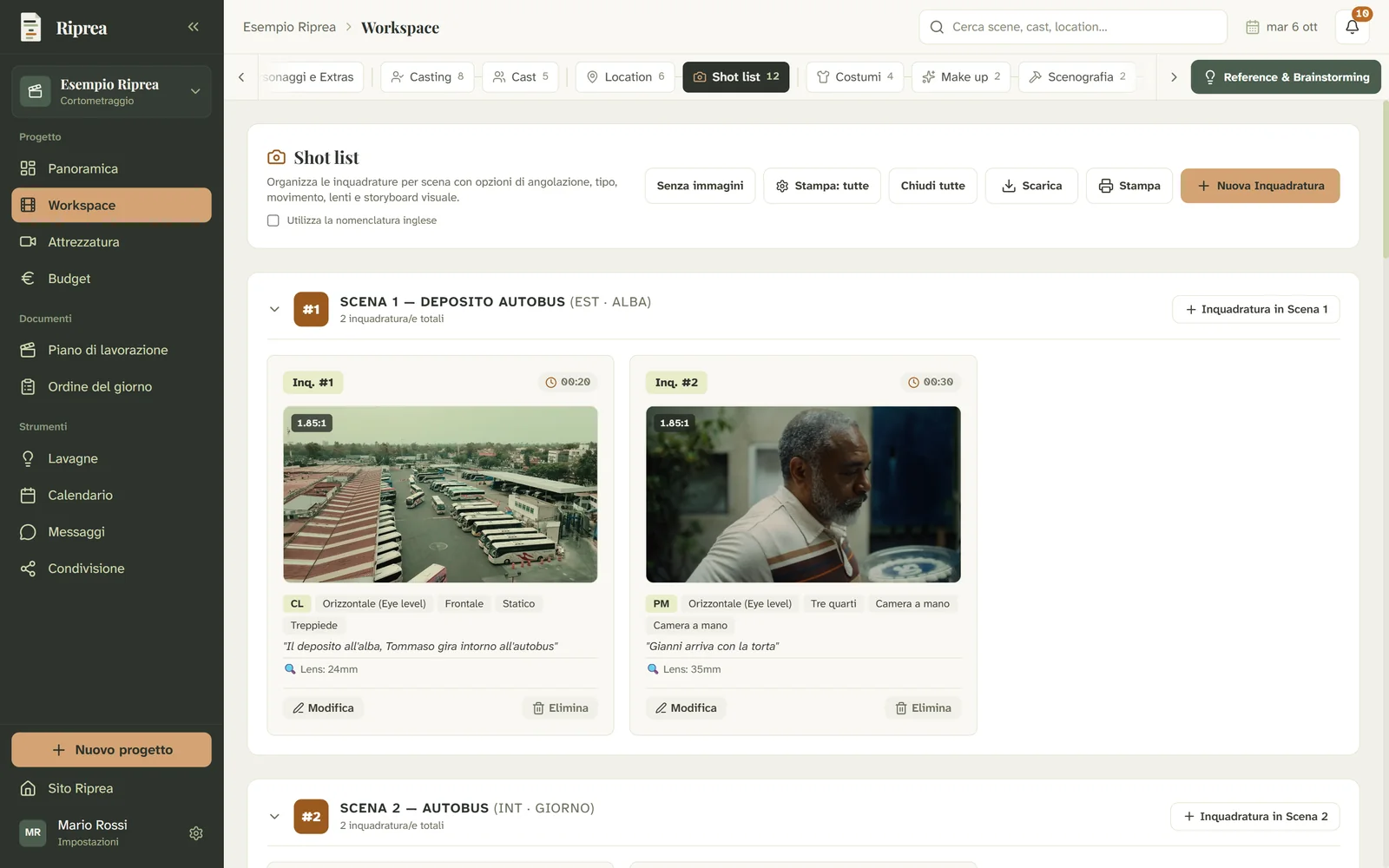
Shot list
Shot by shot, with visual references.
- 06
Costumes
Every garment, its actor, its scenes, its cost.
- 07
Make-up
Make-up and hair, and who looks after them.
- 08
Set design
The builds to make or adapt on set.
- 09
Props
Furniture and props, still to find or already on set.
- 10
Extras
Everything else the breakdown flags: vehicles, animals, stunts, music.
- 11
Animations
Animated sequences, and who makes them.
- 12
Crew
Who does what, in which department, and how to reach them.
- 13
Camera equipment
What you own, what you rent, what it costs.
- 14
Sound equipment
Microphones, recorders, radio mics.
- 15
Special effects
Physical, optical, mechanical and visual effects.
- 16
Budget
Eight categories, one total that is always up to date.
And for working together
Visual references for every department, and your crew inside the same project.
Reference & Brainstorming
A board for every role, location, scene or costume.
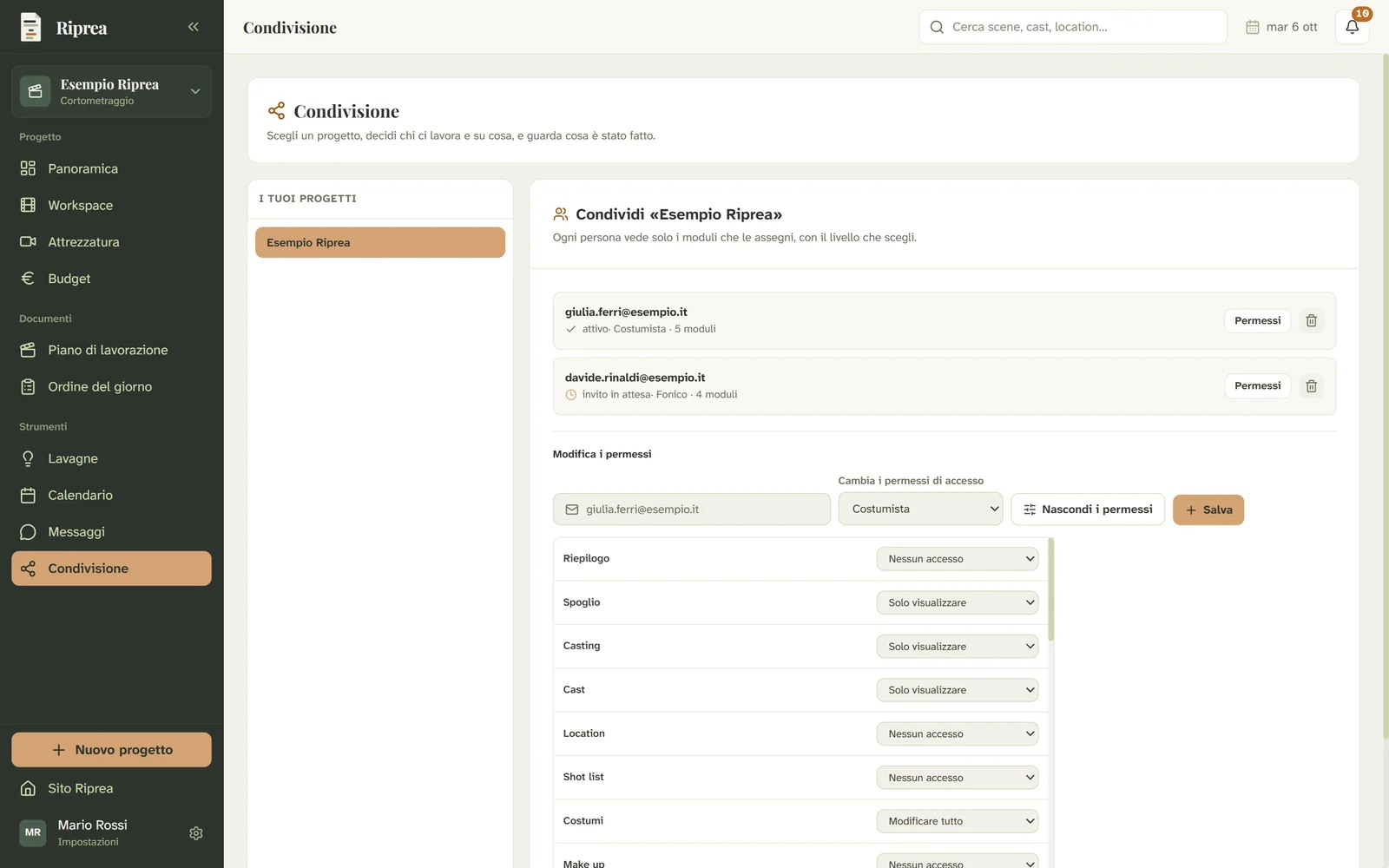
Sharing with collaborators
Your crew inside the project, each with their own permissions.
Your next shoot starts here.
- Beta open to 50 testers
- Every Team feature
- Launch discount